Lasso Platform
QC Dashboard
The QC dashboard shows whether visits and measures are present, plausible and ready to move forward.
Accessing the QC Dashboard#
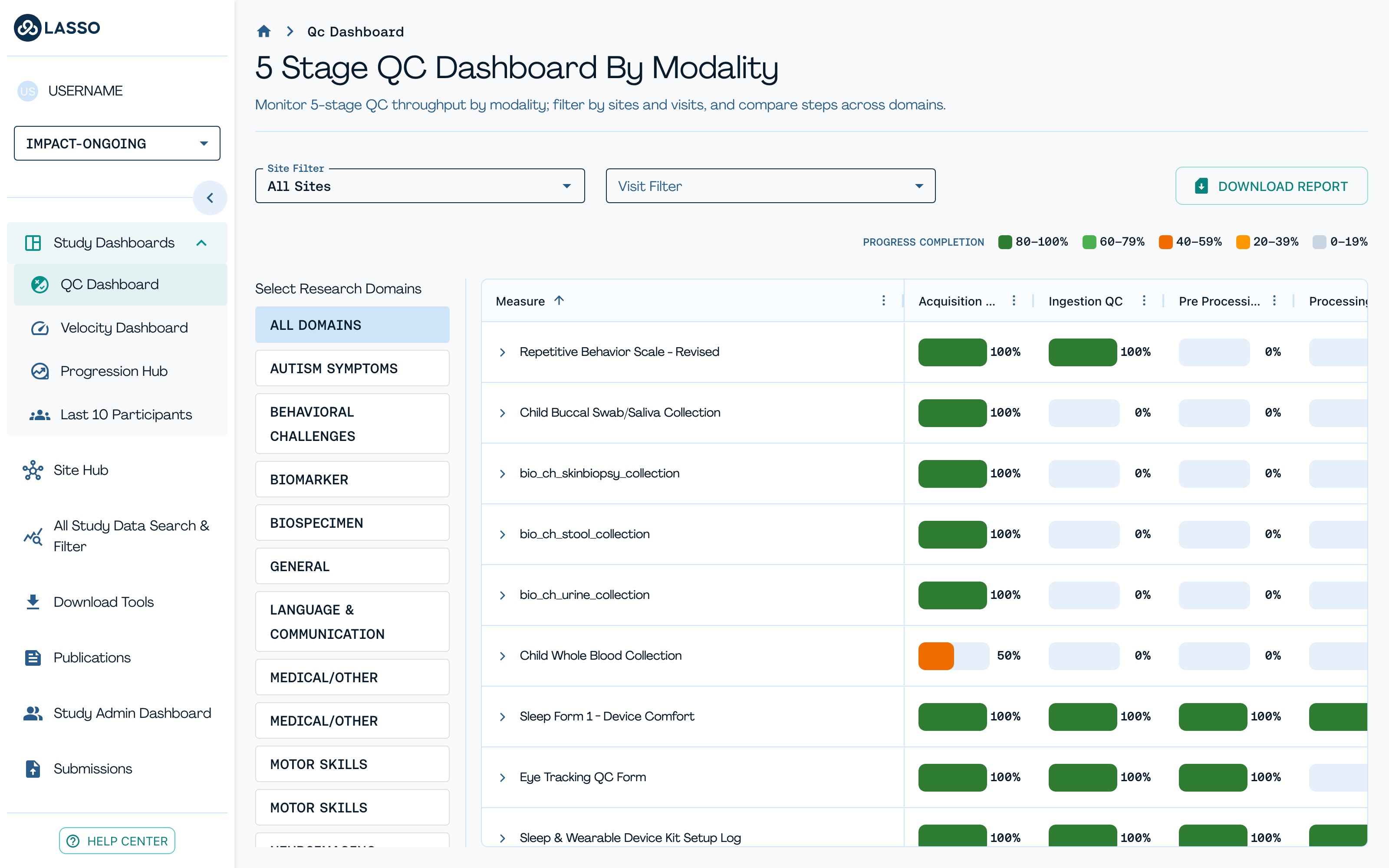
As site staff, you don't just collect data, you also care about data quality. From the left-hand menu, under Study Dashboards, click QC Dashboard to view the five-stage QC pipeline for each measure, by modality.
The Five QC Stages#
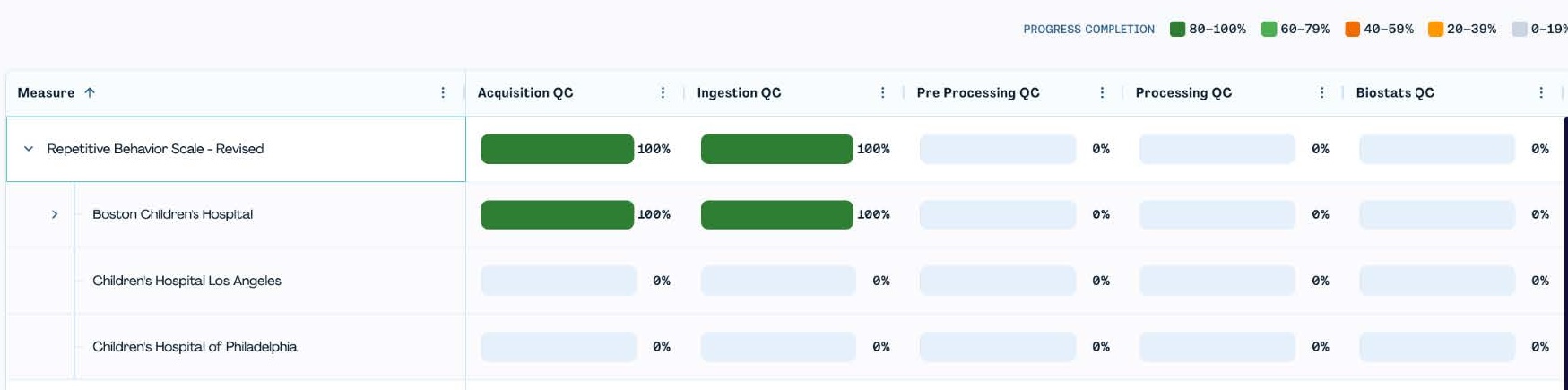
On the left, filter by research domain (Autism Symptoms, Behavioral Challenges, etc.). Across the table, each column represents one of the five stages of QC:
- Acquisition QC: did the data get collected?
- Ingestion QC: did it land correctly in Lasso?
- Pre-Processing & Processing QC: downstream checks as data are processed and analyzed.
- Pre-Release QC: final checks performed on data in release format
The colors show completion rate: green is a high completion rate, yellow and orange are low and grey means little or no progress. You can also filter data by sites and visits in the 5 Stage QC Dashboard (top-left).