Help & Ticket Center
All site-level questions and requests are submitted through the Lasso Help & Ticket Center, the single point of entry for operational communication.
At A Glance#
|
When Should I Open a Ticket?#
- The system behaves unexpectedly or you have questions or feedback on functionalities.
- Data or dashboards don't look right.
- You can't complete a workflow you were trained on.
- You have a question that needs DCC or leadership/SME input.
Finding the Help Center#
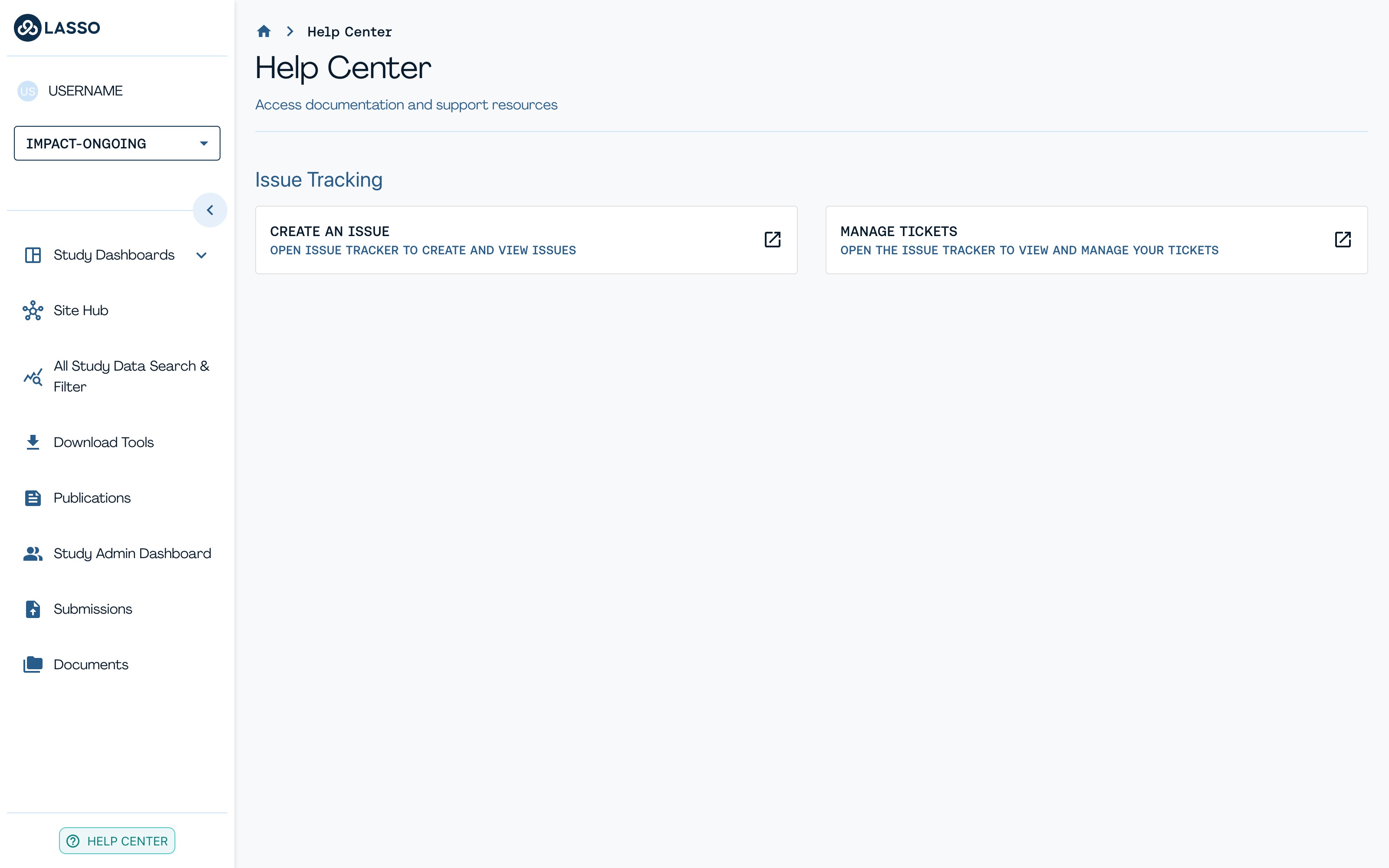
The Help Center sits at the bottom of the left-hand navigation. From there, Issue Tracking gives you two options:
- Create An Issue: opens the Issue Tracker so you can create and view issues.
- Manage Tickets: opens the Issue Tracker so you can view and manage your tickets.
Submit an Issue#
Fill in the form: category, subject and your question. Once you submit it, you'll see a confirmation screen with a case number and you will get email notifications as your ticket is updated.
The Category field covers more than bugs. Use it to ask a protocol question, request platform access, or raise something about LassoSAFE, EnrollNow or Documentation. Open the dropdown and you'll find the full list:
- Data Entry and Upload
- Data Quality and Integrity
- Platform Access
- Return of Results
- Protocol Questions
- LassoSAFE
- EnrollNow
- Documentation
Pick whichever fits best, and the right team picks it up from there.
Please keep your case number handy as it is the easiest way to refer to the issue later. However, you will also be able to see all of the tickets you have created in the Issue Tracker, described in the next section.
Access Existing Tickets#
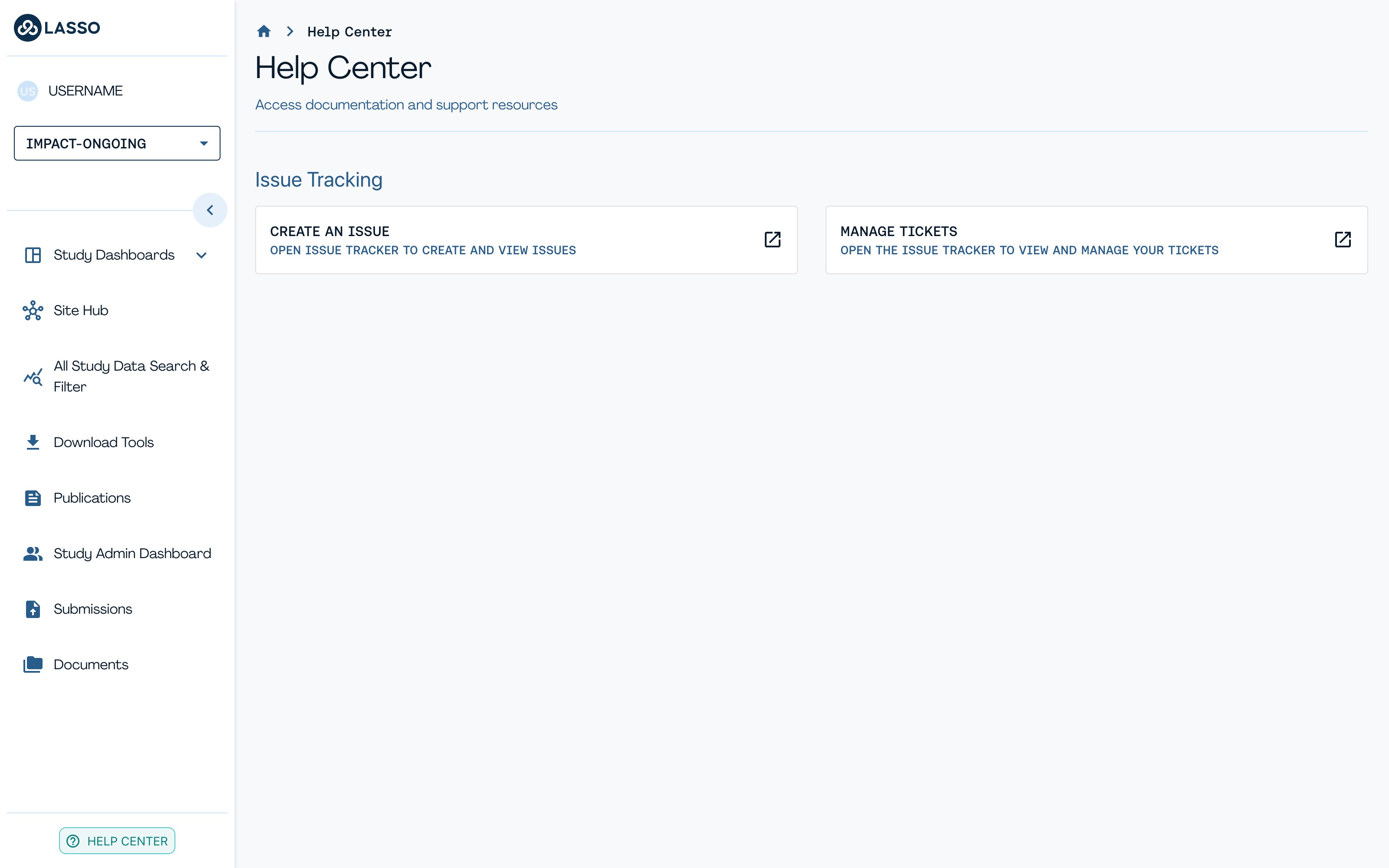
To access a ticket you previously created: From the Help Center, click Manage Tickets to open the Issue Tracker and view or manage any ticket you've submitted. From here, you can view its status and any updates from the DCC.
Ticket Routing#
Questions#
| Category | Scope | DCC Triage Leads |
|---|---|---|
| Data Analysis/LassoSAFE | Derived variables, data interpretation, dataset usage | Jen Zink, Sophie Sun |
| Data Transfer | Data ingestion, pipelines, file formats, submission errors | Aarushi Chaudhry, Jen Zink |
| Protocol Elements | Protocol procedures or Lasso interface (routed by data modality) | SME or Aarushi Chaudhry, Jen Zink |
| Quality Control | QC issues, routed by modality/protocol elements | SME + Jen Zink, Sophie Sun |
| Security & Privacy | Access, RBAC, PII/PHI, breaches, encryption, compliance | Aarushi Chaudhry, Jen Zink |
Requests & Proposed Updates#
Note: Security & Privacy Triage Leads are Aarushi Chaudhry (primary) & Jen Zink (secondary).
| Category | Scope | DCC Triage Leads |
|---|---|---|
| Data Dictionary Updates | Proposed additions, edits, or clarifications | SME |
| DCC Training Requests | Training and onboarding for new site staff | Aarushi Chaudhry, Jen Zink |
| Feature Requests | Tracked, aggregated, and routed for governance review | Jen Zink, Michelle Freund |
Category & Sub-Category Routing#
Selecting a Category determines the Sub-Category options. Most Sub-Categories go straight to the subject line and question; a few prompt a Domain selection first (see the Domain Routing table below).
| Category | Sub-Category | Next Step | Routed To |
|---|---|---|---|
| Data Entry and Upload | REDCap; Pearson, WPS, Brookes (Bayley, DP-4, etc.); Biospecimens; EEG/Eyetracking; At-home sleep devices; General/Other | Straight to subject line & question | Lasso Team (troubleshoot or re-assign) |
| Video/Audio | Select a domain (see below) | Lasso Team (troubleshoot or re-assign) | |
| Data Quality and Integrity | Tabulated phenotypic data; File-based data; General/Other | Select a domain (see below) | Depends on domain |
| Biospecimen | Straight to subject line & question | Lasso Team (troubleshoot or re-assign) | |
| Platform Access | Platform access certificate | Straight to subject line & question | CCC (Alex) |
| Login issues; General/Other | Straight to subject line & question | Lasso Team (troubleshoot or re-assign) | |
| Return of Results | Genetic (Fragile X, WGS) | Straight to subject line & question | CCC (Maya) |
| Phenotypic | Straight to subject line & question | CCC (Charlotte) | |
| Documentation | DCC Docs Site; Data Dictionary | Straight to subject line & question | Lasso Team (troubleshoot or re-assign) |
| Protocol Questions for the CCC | Tabulated phenotypic data; File-based data; General/Other | Select a domain (see below) | Depends on domain |
| Biospecimen | Straight to subject line & question | — | |
| LassoSAFE | Session Launch; Interactive Apps (R, Jupyter, EEG lab, ELAN, etc.); Desktop/Command Line; General/Other | Straight to subject line & question | Lasso Team (troubleshoot or re-assign) |
| EnrollNow | Participant Creation; Participant Scheduling; General/Other | Straight to subject line & question | Lasso Team (troubleshoot or re-assign) |
| Other | — | Straight to subject line & question | Lasso Team (troubleshoot or re-assign) |
Domain Routing#
Shown only when a Sub-Category above calls for it ("Tabulated phenotypic data," "File-based data," or "General/Other" under Data Quality and Integrity / Protocol Questions for the CCC).
| Data Type | Domain | Routed To (SME) |
|---|---|---|
| Tabulated phenotypic data | Adaptive Behavior, Autism Symptoms, Behavioral Challenges, Language and Communication, Neurocognitive and Development | Charlotte |
| Motor skills | Abby | |
| Medical/Other | Alex | |
| General | — | |
| File-based data | EEG/Eyetracking, Video/Audio, Sleep Devices | Abby |
| — | Other | Alex (to triage) |
Subject Line & Question#
Both are free-text fields, completed last after Category (and Sub-Category/Domain, if applicable) are selected.